By default File Explorer Preview pane displays text previews for .reg, .bat and .cmd file types, but not for .ps1 (PowerShell scripts). Here is a registry edit that enables text preview for .ps1 file type in File Explorer Preview pane.
Download ps1_preview.zip, unzip and run the enclosed registry file.
Note: Make sure that the option Show preview handlers in preview pane is enabled in Folder Options, View tab.
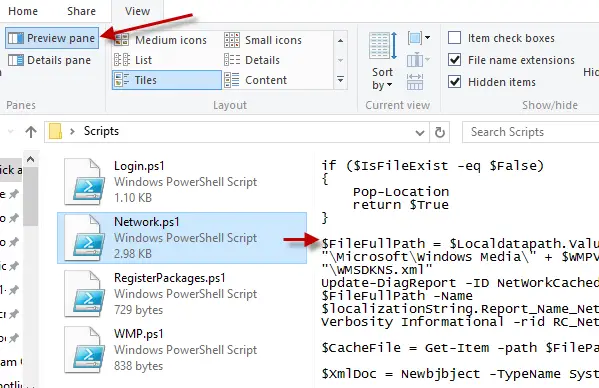
Registry File Contents
Windows Registry Editor Version 5.00

[HKEY_CLASSES_ROOT\.ps1\ShellEx\{8895b1c6-b41f-4c1c-a562-0d564250836f}]
@="{1531d583-8375-4d3f-b5fb-d23bbd169f22}"
For Vbscript and JScript files
Windows Registry Editor Version 5.00

[HKEY_CLASSES_ROOT\.vbs\ShellEx\{8895b1c6-b41f-4c1c-a562-0d564250836f}]
@="{1531d583-8375-4d3f-b5fb-d23bbd169f22}"
Windows Registry Editor Version 5.00

[HKEY_CLASSES_ROOT\.js\ShellEx\{8895b1c6-b41f-4c1c-a562-0d564250836f}]
@="{1531d583-8375-4d3f-b5fb-d23bbd169f22}"
That’s it!
One small request: If you liked this post, please share this?
One "tiny" share from you would seriously help a lot with the growth of this blog. Some great suggestions:- Pin it!
- Share it to your favorite blog + Facebook, Reddit
- Tweet it!
