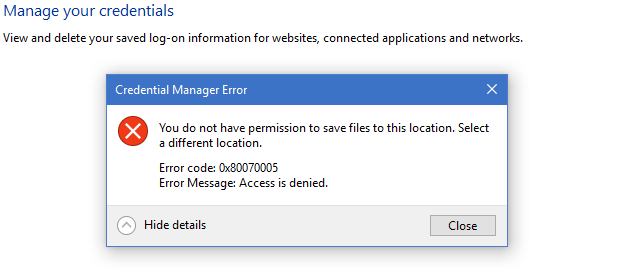
When you open Credential Manager, the error 0x80070005 may appear. Here’s the full error message info:
Credential Manager Error

You do not have permission to save files to this location. Select a different location.

Error code: 0x80070005
Error Message: Access is Denied
Also, apps such as OneDrive or Outlook may be unable to save the password in the credentials database.
Cause
Incorrect file/folder permissions or a corrupted credentials history file causes the above error.
Resolution
Open an admin Command Prompt window and run the following commands:
net stop vaultsvc
attrib -s -h -r "%AppData%\microsoft\protect\CREDHIST"
ren "%AppData%\microsoft\protect\CREDHIST" CREDHIST.old
net start vaultsvc
See if the Credential Manager error is resolved.
If the error reappears, fix the permissions for these two folders:
%localappData%\Microsoft\Vault

%appdata%\microsoft\protect
Ensure that the following accounts/groups have full control permissions for the above folders, their subfolders, and the files.
- NT AUTHORITY\SYSTEM
- BUILTIN\Administrators
- Your User account.
I hope that resolves the Credential Manager error 0x80070005.
One small request: If you liked this post, please share this?
One "tiny" share from you would seriously help a lot with the growth of this blog. Some great suggestions:- Pin it!
- Share it to your favorite blog + Facebook, Reddit
- Tweet it!
