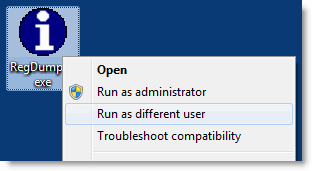
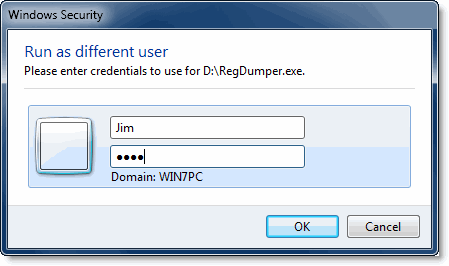
 Windows Vista users need to use the RunAs.exe console tool or the ShellRunas shell extension from Windows SysInternals to launch programs as a different user. Windows 7 includes the Run as different user feature as a built-in option in the right-click menu.
From Chris Jackson’s Semantic Consonance:
“Run as different user” option is different than “Run as administrator”, because you don’t have to elevate. You can run as an admin user, but be running as that user with non-elevated credentials. Also, it supports net only credentials, which Run as Administrator doesn’t.
The Run as different user context menu option in Windows 7 is implemented as an extended menu, which is only displayed if you press and hold the SHIFT key when right-clicking on an executable file or its shortcut. This is one of the hidden menu items which I earlier wrote about.
One small request: If you liked this post, please share this?
One "tiny" share from you would seriously help a lot with the growth of this blog. Some great suggestions:- Pin it!
- Share it to your favorite blog + Facebook, Reddit
- Tweet it!
