Are you running out of hard disk space even after clearing out the temporary folder and other junk files? You may consider lowering the disk space allotted to System Restore or delete the System Restore snapshots which include previous versions of files. Upgrading the hard disk is the ultimate solution though.
Delete All System Restore Points in Windows
1) Using GUI
Cleaning up the System Protection points may sometimes be necessary during malware removal or when the hard disk is low on space.
- Press Win + R to bring up the Run dialog.
- Type
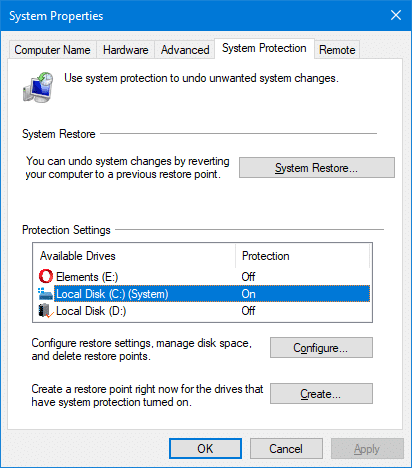
sysdm.cpland click OK. - Select the System Protection tab.
- In the System Protection options, select a drive letter and click Configure.
- Click Delete, and click Continue when prompted.
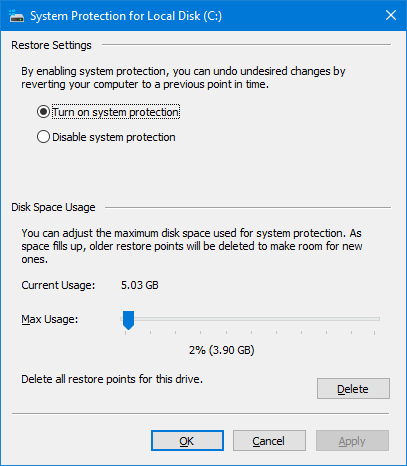
- Click OK, OK.
Deleting all but the most recent Restore point using Disk Cleanup
To delete all the restore points except the most recent one, use Disk Cleanup:
- Start Disk Cleanup (
cleanmgr.exe) - Select the drive letter from the list and click OK.
- Click Clean up system files. This restarts Disk Cleanup to run in elevated mode.
- Select the drive letter from the list and click OK
- Click the More Options tab.
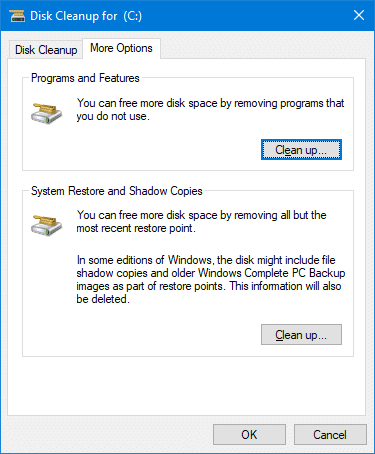
- Click the Clean up button under System Restore and Shadow Copies.
- Click OK.
This deletes all restore points except the most recent one, and thus potentially reducing the size of the System Volume Information folder.
Using Vssadmin
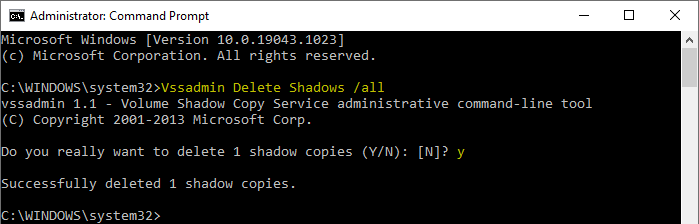
Windows allows you to delete all restore points programmatically or using the Vssadmin.exe console tool from admin Command Prompt.
To delete all the restore points on all the volumes, run this command-line:
Vssadmin Delete Shadows /all
To delete only the oldest restore point on the C:\ drive, run:
Vssadmin Delete Shadows /For=C: /Oldest
If no shadow copies exist, you’ll see the message “No items found that satisfy the query.”
Here are the arguments that can be used with “Vssadmin.exe delete shadow” command:
| /for=<ForVolumeSpec> | Specifies the volume for which the shadow copy is to be deleted. |
| /oldest | Deletes only the oldest shadow copy. |
| /all | Deletes all of the shadow copies for the specified volume. |
| /shadow=<ShadowID> | Deletes the shadow copy specified by ShadowID. To get the shadow copy ID, use the vssadmin list shadows command. When you type a shadow copy ID, use the following format, where each X represents a hexadecimal character: |
| /quiet | Specifies that the command will not display messages while it is running. |
You can also delete individual restore points using Vssadmin.
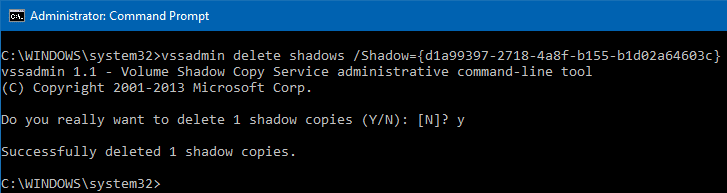
For detailed information, check out the post Delete Individual System Restore Points in Windows which discusses a couple of methods to delete restore points selectively.
One small request: If you liked this post, please share this?
One "tiny" share from you would seriously help a lot with the growth of this blog. Some great suggestions:- Pin it!
- Share it to your favorite blog + Facebook, Reddit
- Tweet it!

Thank you, have just freed 9GB from my C disk