.nfo (also written .NFO or NFO, a contraction of “info”, or “information”) is a commonly used three-letter filename extension for text files that accompany various digital scene releases with information about them.
NFO files are used to deliver release information about the media, such as the digital media title, authorship, year, or license information. This information is delivered for publishing through digital media to make it searchable on the web as well as within local catalogues and libraries.
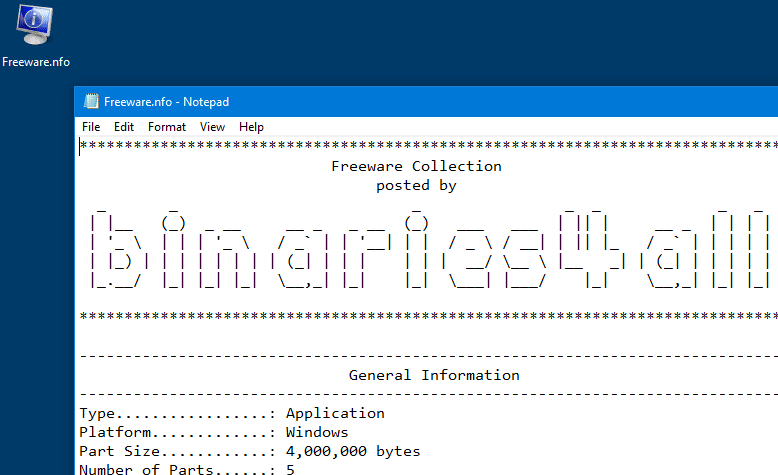
As NFO (information) files are plain text files, you can use the Open with dialog to open it using Notepad or any other text editor of your choosing. Here is a sample NFO file containing ASCII art:
Note: As Windows also has a built-in .nfo file format which is used by the System Information Tool (msinfo32.exe), when you open any .nfo (information file), Windows assumes that you’re opening a file created by msinfo32.exe and throws the following error:
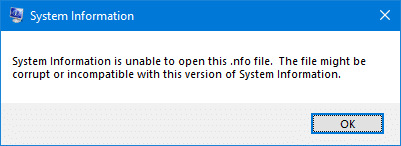
Error when opening a MSInfo32 .nfo file?
When you open a msinfo32.exe .nfo data file stored in a folder that contains spaces in the name — e.g., d:\log files, an error may occur mentioning that the NFO file could be corrupt.
System Information cannot open this NFO file. It might be corrupted or an unrecognized version.
Here is a fix for the issue.
- Launch the Registry Editor (
regedit.exe) - Go to the following location:
HKEY_CLASSES_ROOT\MSInfoFile\shell\open\command
- Double-click (default) and change the data to:
%SystemRoot%\system32\msinfo32.exe "%1"
- Exit the Registry Editor.
System Information (.nfo) files should now open correctly.
One small request: If you liked this post, please share this?
One "tiny" share from you would seriously help a lot with the growth of this blog. Some great suggestions:- Pin it!
- Share it to your favorite blog + Facebook, Reddit
- Tweet it!


this do not work now i have another error (this is not a file type system information can open)
Thanks. It worked for me.
It didn’t worked for me, any other option? To fix this issue.
it didn’t work mate. please help me out
Look up DAMN NFO VIEWER on google or something download and it will open your files