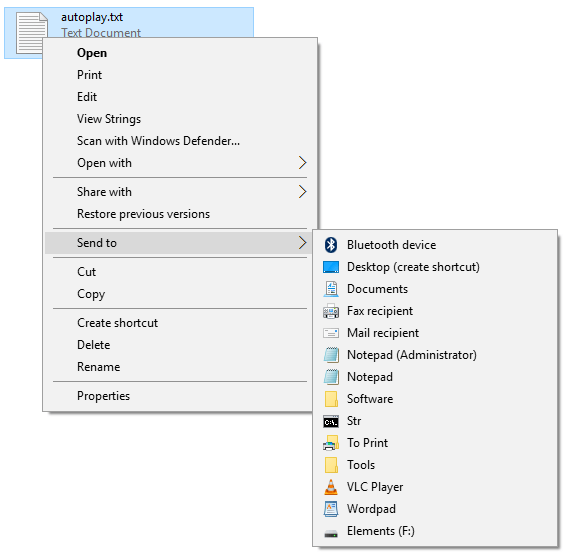
This article tells you how to restore the missing “Compressed (Zipped) Folder” item to your “Send to” menu in all versions of Windows, including Windows 10 and 11.
Cause
If the Compressed (Zipped) folder doesn’t appear in the Send To menu, it can be due to one of the reasons:
- The SendTo folder does not have the file “Compressed (zipped) Folder.ZFSendToTarget”.
- The .ZFSendToTarget file association settings are missing or incorrect.
- A 0-byte bluetooth file exists in the SendTo folder, which stalls the rendering of Send To menu.
Restore “Compressed (zipped) Folder” in “Send To” Menu
Solution 1: Restore the “Compressed (zipped) folder” shortcut manually
- Press WinKey + R to open the Run dialog
- Type the following command and click OK:
shell:sendto
This opens the SendTo folder of your user profile.
- Check if the file
Compressed (zipped) Folder.ZFSendToTargetfile exists. If it’s missing, copy it from theDefaultuser folder located at:C:\Users\Default User\AppData\Roaming\Microsoft\Windows\SendTo
Alternately, you can download zipfldr.zip, unzip and extract the enclosed file (shortcut) to your
Send Tofolder.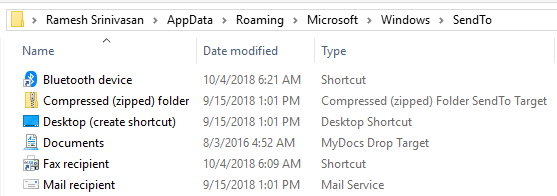
Solution 2: Fix the .ZFSendToTarget file association
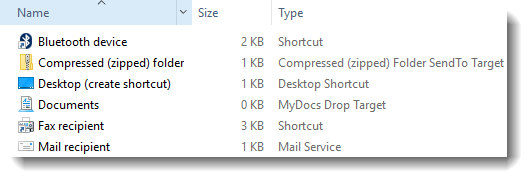
Checking the SendTo folder in your user profile should tell you if the .ZFSendToTarget file association setting is corrupt. Here is how it normally shows:
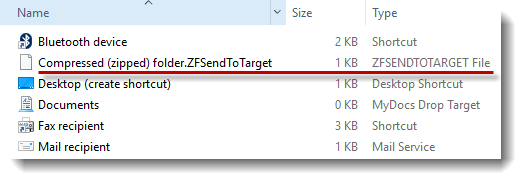
And if the .ZFSendToTarget file association settings are corrupt, it might show with a generic icon and the Type column simply reflecting the file name extension.
To fix this, follow these steps:
- Open an elevated Command Prompt window. To open an elevated Command Prompt in Windows 8.1, 10, or 11, right-click Start, and click
Command Prompt (Admin) - Type the following command and press Enter:
assoc .zfsendtotarget=CLSID\{888DCA60-FC0A-11CF-8F0F-00C04FD7D062}and then run:
reg delete "HKCU\SOFTWARE\Microsoft\Windows\CurrentVersion\Explorer\FileExts\.ZFSendToTarget\UserChoice" /f
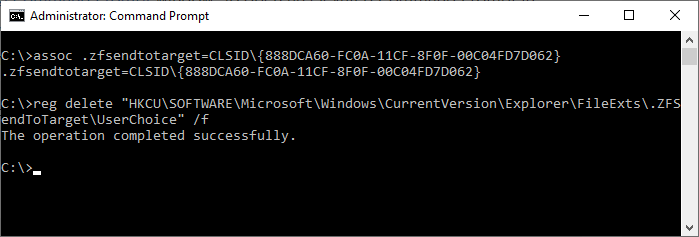
If you see the output “ERROR: The system was unable to find the specified registry key or value” for the 2nd command, please ignore it. - Exit the Command Prompt.
Solution 3: Remove the 0-byte Bluetooth shortcut from the Send To folder
A 0-byte Bluetooth icon (named “Bluetooth“) may be preventing the Send To items from being displayed, including the Compressed (zipped) Folder. You need to delete the 0-byte “Bluetooth” shortcut/file from your SendTo folder. See the recent post Send To Menu Showing Only Bluetooth Device.
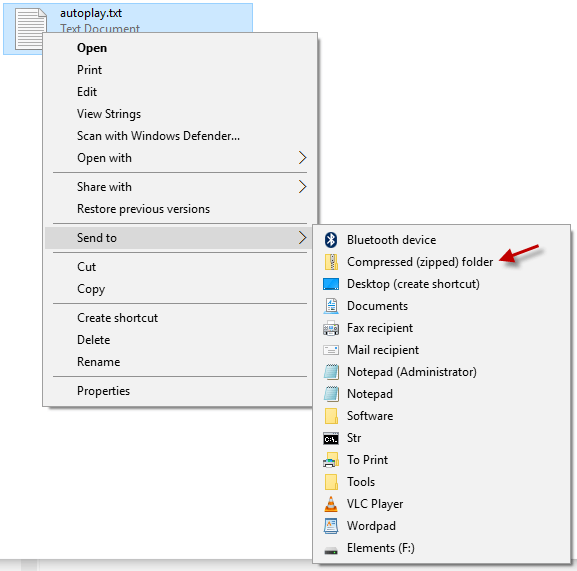
This brings back the Compressed (zipped) Folder entry to the “Send to” menu in Windows.
One small request: If you liked this post, please share this?
One "tiny" share from you would seriously help a lot with the growth of this blog. Some great suggestions:- Pin it!
- Share it to your favorite blog + Facebook, Reddit
- Tweet it!

Another reason for them to be missing is if they are set as “Hidden” in the send to folder
Thank you, it works.
good it worked the deleted compressed file