Using the Tasklist.exe command-line utility you can get the list of running Windows Store Apps along with their respective Process IDs, Memory Usage and Package Names. Here is how.
Open a Command Prompt window and type:
tasklist /apps
To view the output in List format, type:
tasklist /apps /fo list
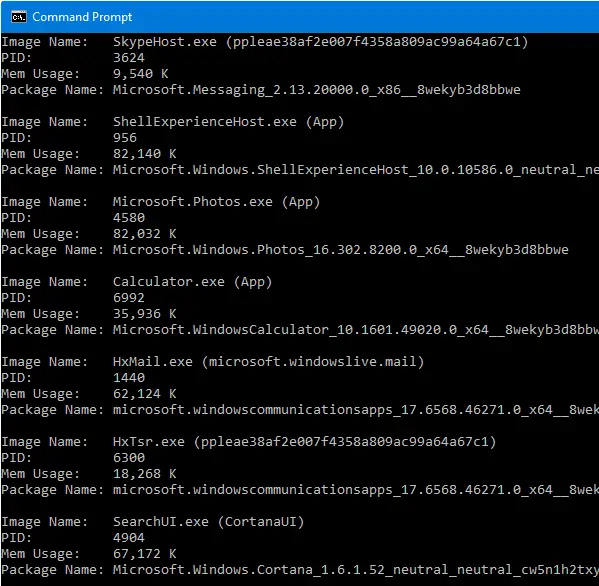
The above command-line shows all Apps regardless of their status (running, suspended, not responding, etc). The only list Apps with status “Running”, type in:
tasklist /apps /fi "status eq running"
Tasklist /apps command-line works in Windows 8.1 and higher. To see the full list of parameters supported, type tasklist /?
One small request: If you liked this post, please share this?
One "tiny" share from you would seriously help a lot with the growth of this blog. Some great suggestions:- Pin it!
- Share it to your favorite blog + Facebook, Reddit
- Tweet it!
