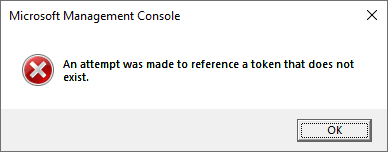
When you open the Local Security Policy Editor (secpol.msc), the following error may occur:
Microsoft Management Console

An attempt was made to reference a token that does not exist.
Resolution
The secpol.msc error may occur if launched using the 32-bit mmc.exe on a 64-bit Windows system. Please use the following command to launch secpol.msc from the Run dialog:
c:\windows\system32\mmc.exe c:\windows\system32\secpol.msc
Alternatively, you can open the Local Group Policy Editor by running gpedit.msc, expand “Computer Configuration”, “Windows Settings”, and click “Security settings” to access the Local Security Policy editor.
One small request: If you liked this post, please share this?
One "tiny" share from you would seriously help a lot with the growth of this blog. Some great suggestions:- Pin it!
- Share it to your favorite blog + Facebook, Reddit
- Tweet it!
