Until last week I was thinking that increasing the taskbar thumbnail window size is not possible natively in Windows 7 (and Windows Vista). After doing a bit of hacking around the registry, I found that Windows 7 has the ability to increase the thumbnail preview size natively, plus much more, through registry edits which I’m covering in this article. This hack works in Windows 8 and Windows 10 too.
This is how the taskbar thumbnail preview window appeared prior to applying the following edit.

Make the Taskbar Thumbnail Preview Bigger
1. Launch Regedit.exe and navigate to the following location:
HKEY_CURRENT_USER\Software\Microsoft\Windows\CurrentVersion\Explorer\Taskband
2. Create a DWORD value named MinThumbSizePx
3. Double-click MinThumbSizePx and set its value data accordingly. I set it to 350 (Decimal) for this example.
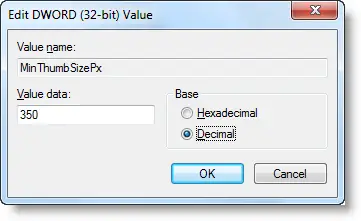
4. Exit the Registry Editor.
5. Logoff and login back.
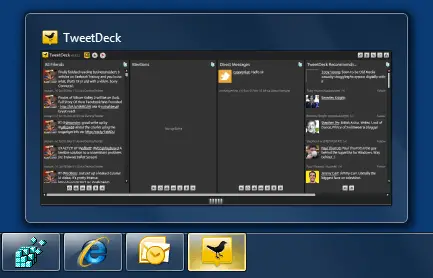
And you can see below that the taskbar thumbnails has grown bigger in size.
Additional Information
Similarly, you can tweak the following registry values under the "Taskband" registry branch, and customize the taskbar thumbnail previews as you need. Here is the entire list:
- NumThumbnails
- MinThumbSizePx
- MaxThumbSizePx
- TextHeightPx
- TopMarginPx
- LeftMarginPx
- RightMarginPx
- BottomMarginPx
- ThumbSpacingXPx
- ThumbSpacingYPx
All the pixel values are set in "Decimal" using Registry Editor.
NumThumbnails
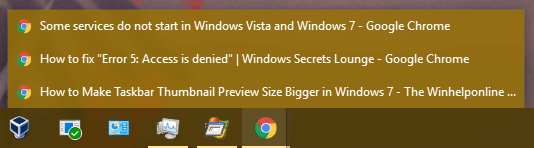
This setting specifies how many thumbnails to display for an item. By default when you open five instances of a program (e.g. Notepad), five thumbnails are displayed one for each instance.. and so forth up to the limit your monitor can support. Above the limit, it stacks the items. If NumThumbnails value is set to 10 (decimal), thumbnail previews are shown only if you have <=10 program windows. Opening more than 10 windows will cause the items to be stacked.
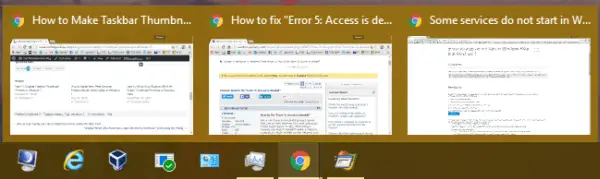
NumThumbnails set to 2, if there are more 2 windows, they all are stacked as shown:
MinThumbSizePx
See top of the article above for illustration.
MaxThumbSizePx
Specifies the maximum thumbnail size in pixels. For example if it’s set to 500, thumbnails by default show in 500 px. I could not find the difference between MinThumbSizePx and MaxThumbSizePx, but if both exist, MaxThumbSizePx takes precedence.
TextHeightPx
Specifies the window title text height in the thumbnail view. There were no significant changes in UI.
TopMarginPx
Specifies the Top margin for stacked windows.
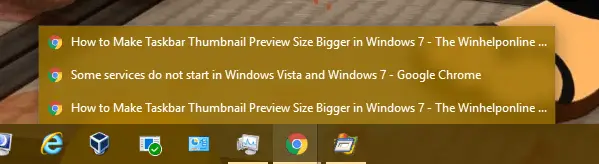
… with the value set to 10, here is how it looked:

ThumbSpacingXPx
Specifies the spacing between each thumbnail.
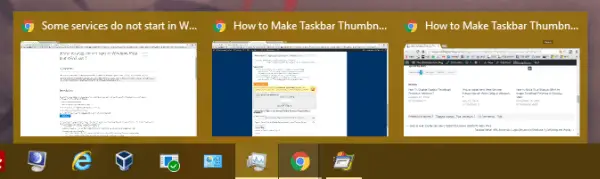
… with the spacing set to 15, it looked as below:
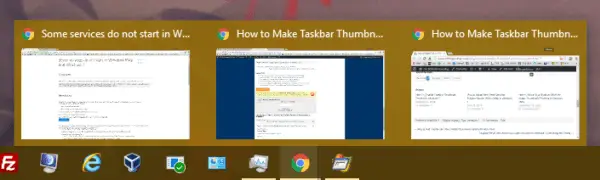
ThumbSpacingYPx
Specifies the vertical spacing between the stacked items.
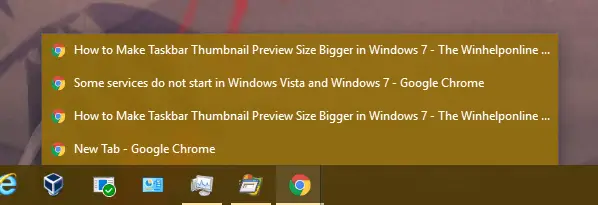
Setting it to 30 made it look ugly, like this:
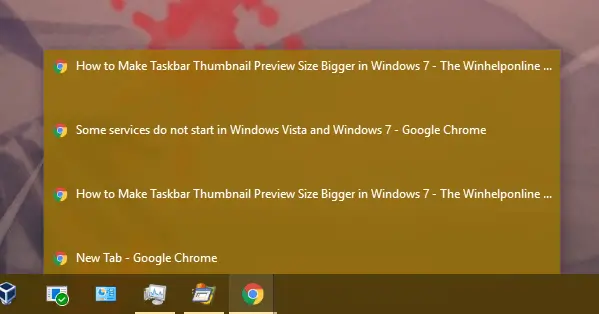
As for the other three values LeftMarginPx, RightMarginPx and BottomMarginPx, I could not find any significant changes in the UI. May be they require elaborate testing with different value ranges.
Editor’s Note: In Windows Vista, the feature was made available by a nice little program called Vista Thumbnail Sizer by Andreas Verhoeven, which was announced by the How-To Geek Website.
One small request: If you liked this post, please share this?
One "tiny" share from you would seriously help a lot with the growth of this blog. Some great suggestions:- Pin it!
- Share it to your favorite blog + Facebook, Reddit
- Tweet it!

Used Asus Tweak II and changed NumThumbnails to 1 without me knowing. This really helped me thanks.