The Extended view of the Services Management Console (services.msc) displays the service description and also has links to start or stop services. In some systems, the Extended view may appear blank, as in the figure below:
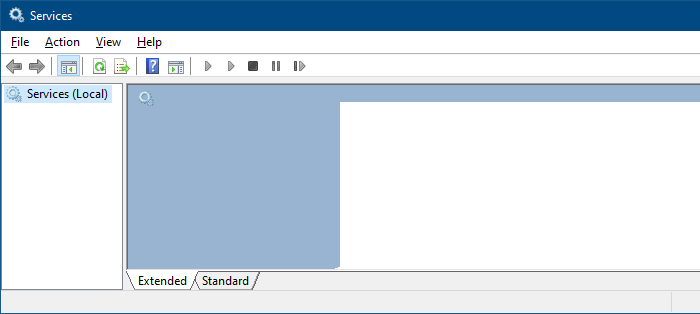
Let’s see how to fix this issue. The instructions apply to all versions of Windows, including Windows 10.
[Fix] Services MMC Extended View is Blank in Windows
To fix the “Extended” view pane in the Services console, follow these steps:
Step 1: Register JScript.dll and Mmcndmgr.dll
Run these commands from an admin Command Prompt:
regsvr32.exe  jscript.dll

regsvr32.exe  mmcndmgr.dll
You should see the output “DllRegisterServer in .dll succeeded.”
Step 2: Enable Active Scripting for the local machine zone
- Start the Registry Editor (
regedit.exe) - Go to the following branches:
HKEY_CURRENT_USER\SOFTWARE\Microsoft\Windows\CurrentVersion\Internet Settings\Zones\0

HKEY_LOCAL_MACHINE\SOFTWARE\Microsoft\Windows\CurrentVersion\Internet Settings\Zones\0
- Double-click the value named
1400(if exists in the above locations), and set its data to0.The value1400corresponds to Active Scripting, and Zone0represents the local computer zone. Setting 1400 value data to 0 enables Active Scripting. Here are the possible values:- 0 – The feature (Active Scripting) is enabled, which is the default setting.
- 1 – Show a prompt.
- 3 – Disable Active Scripting.
For more information, refer to the Microsoft article Internet Explorer security zones registry entries for advanced users.If the value1400exists in both locations above, the one in HKEY_CURRENT_USER takes precedence by default. The HKEY_LOCAL_MACHINE takes precedence only if the Security Zones: Use only machine settings setting in Group Policy is enabled, or if theSecurity_HKLM_onlyDWORD value is set to1in the registry. - Exit the Registry Editor.
- Close and re-open Services MMC.
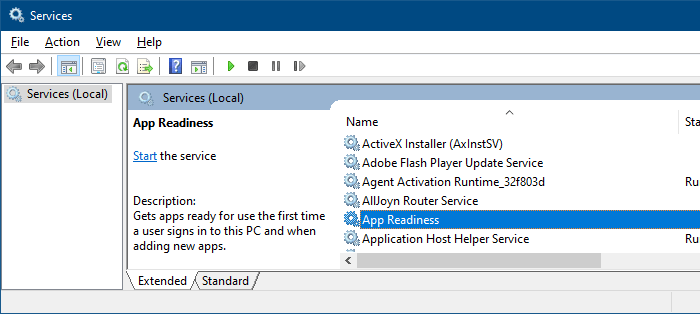
This fixes the Extended view in Services MMC.
One small request: If you liked this post, please share this?
One "tiny" share from you would seriously help a lot with the growth of this blog. Some great suggestions:- Pin it!
- Share it to your favorite blog + Facebook, Reddit
- Tweet it!

Oh, thanks a lot! That worked on Win 2008 R2 (also worked for blank deployed printer list)
Thank,s I had been downloading & installing software in hopes of updating my windows home edit xp . instead i when down wrong path and now just want my system to work as it did , the steps given here worked right away . thank you again.