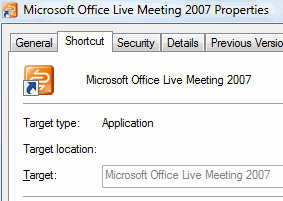
When you right-click on a Windows Installer shortcut and choose Properties, the Target field does not show the path to the executable. This is because Windows Installer shortcuts work differently. When you double-click a Windows Installer shortcut, Windows reads the Product code, Component code, and other details stored in the Shortcut to determine the executable file location.
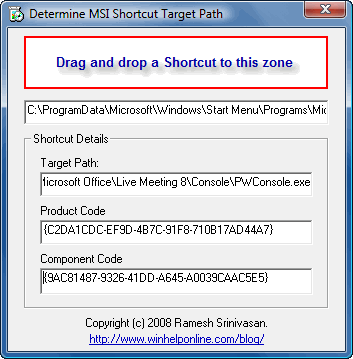
Here is a simple tool that displays the target path of Windows Installer shortcuts along with the Product code and Component code. All you need to do is drag the Windows Installer shortcut from Explorer (or the Start menu) to the “drop” zone in this tool.
Download msitarget.zip (34 KB)
One small request: If you liked this post, please share this?
One "tiny" share from you would seriously help a lot with the growth of this blog. Some great suggestions:- Pin it!
- Share it to your favorite blog + Facebook, Reddit
- Tweet it!
