Microsoft Excel Spreadsheets are commonly used to store financial data and prepare invoices. Often, you may need to convert the .xls or .xlsx files to .pdf format especially if you’re sending out invoices to your clients.
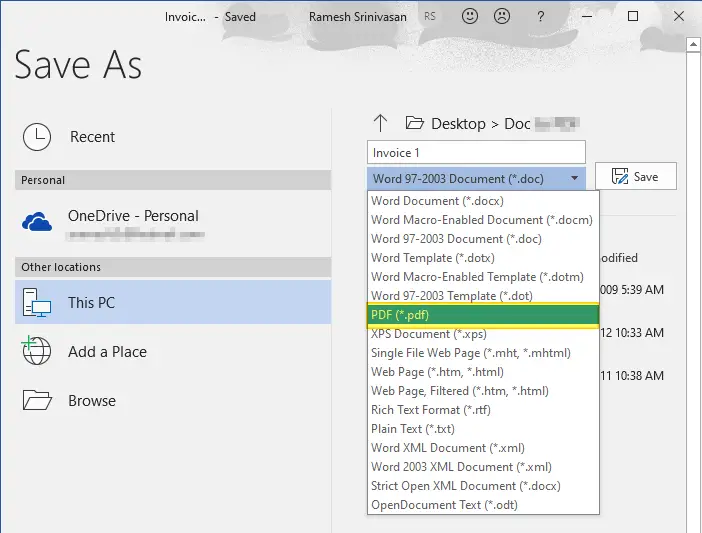
Microsoft Excel has a built-in option using which you can save your workbook, active sheet, or selected cells to a PDF file. This can be accomplished using the Save as… dropdown box.
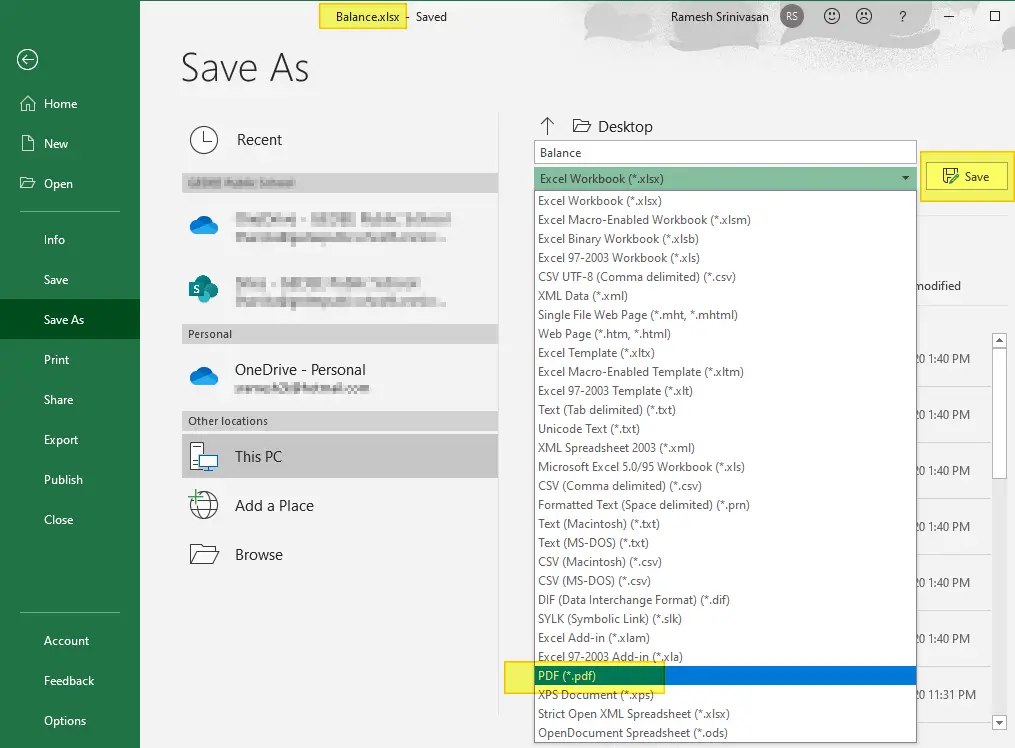
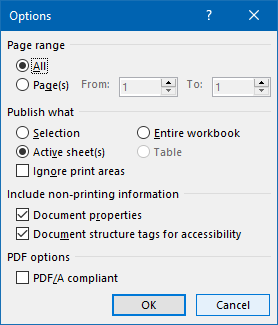
By clicking on the More options… link, you can configure the page range, and the item to export (entire workbook, active sheet, etc) to PDF.
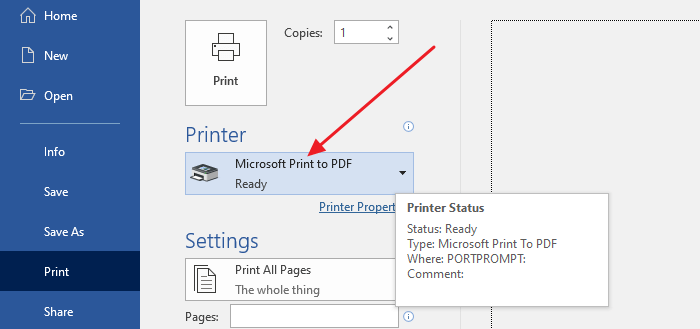
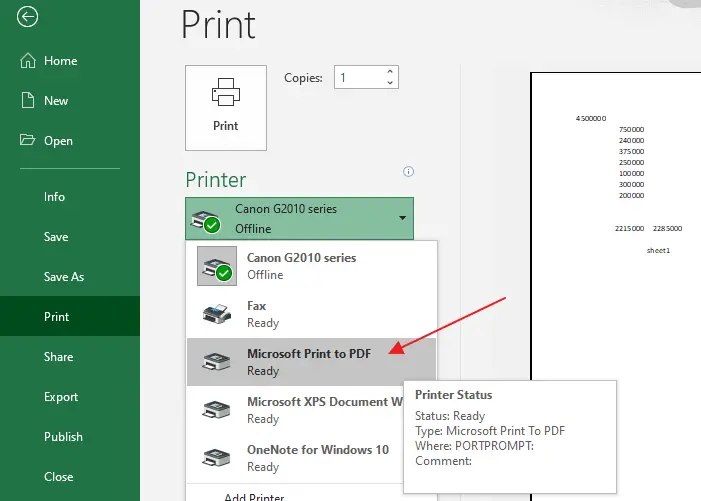
 Another option would be to use the Microsoft Print to PDF driver in Windows 10 to output the .xls or .xlsx file to a .pdf document. For this, you’d use the Print option (instead of Save as) to print the document to PDF.
Pre-Windows 10 systems don’t have the Microsoft Print to PDF driver. As an alternative. you can use the free CutePDF Writer or Foxit PDF Printer (part of Foxit PDF Reader software.)
Bulk conversion of Excel sheets to PDF
However, if you have hundreds of invoices (in .xls or .xlsx format) that you need to batch/bulk convert the files into PDF, the above options are not ideal and take a long time.
- There are plenty of online portals that can bulk convert Excel sheets to PDF documents quickly without charging any fee. However, if your Excel sheets are confidential and you don’t want any intermediary portal or service to access them, then you may use the Excel to PDF offline conversion methods discussed in this article.
Fortunately, Microsoft Word and Microsoft Excel lets you automate the above task using scripting. This article tells you how to batch convert multiple Excel sheets into PDF files quickly.Read more