When you attempt to clean up the component store using the following DISM command on a Windows 11 24H2 or 25H2 system, the error code 1726 may occur.Read more
Error Messages
How to Fix .NET Framework 3.5 Error 0x800F080C
by Ramesh
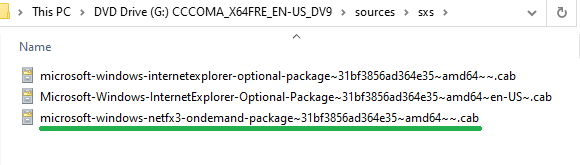
When you install the .NET Framework 3.5 using DISM in Windows 10 or 11, you may encounter error 0x800F080C. The full error message is below:
Error: 0x800f080c

Feature name NetFX3 is unknown.
A Windows feature name was not recognized.
Use the /Get-Features option to find the name of the feature in the image and try the command again.
[Fix] SystemSettingsAdminFlows.exe – Application Error 0xc0000017
by Ramesh
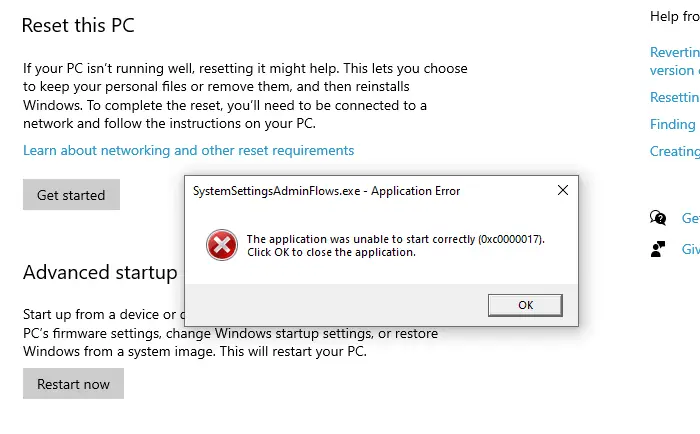
You may encounter the error 0xc0000017 when you access the Recovery options page in the Settings app. Here’s the full error message:
SystemSettingsAdminFlows.exe - Application Error

The application was unable to start correctly (0xc0000017). Click OK to close the application.
“Your device is missing important security and quality fixes” Error in Windows 10
by Ramesh

On a Windows 10 device that has already been enrolled in the Windows 10 Consumer ESU program and fully updated, the error message “Your device is missing important security and quality fixes” may still appear in the Windows Update settings page.Read more
Error 0xc00000bb when booting or accessing Windows RE
by Ramesh
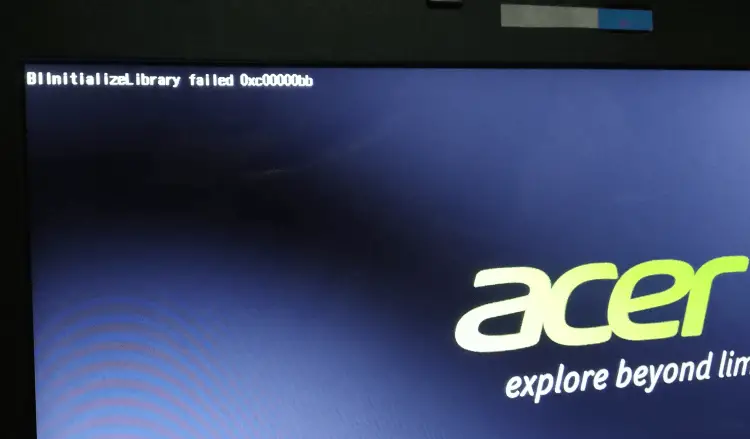
This post explains how to fix error 0xc00000bb during boot or when accessing Windows RE on a Windows 10 or 11 PC. 0xC00000BB (“STATUS_NOT_SUPPORTED”) means “The request is not supported”.Read more
[Fix] DISM Error 1: Incorrect Function
by Ramesh
When you run the component store cleanup or install a Feature-On-Demand package using DISM, the error code 1 may appear.Read more
File Explorer: The file you are attempting to preview could harm your computer
by Ramesh

After installing the October 15 (2025), cumulative update for Windows 11, File Explorer turns off the preview feature for files downloaded from the internet. After the October 2025 or a later Windows security update is installed, the File Explorer preview pane will display the following message:
The file you are attempting to preview could harm your computer. If you trust the file and the source you received it from, open it to view its contents.
Fix for DISM Error 126 – Could not be initialized
by Ramesh
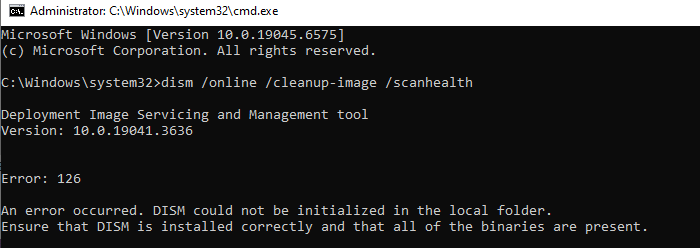
When you run any DISM command, error 126 may appear. The following is the full error message verbatim.
Read more
Error “The configuration registry database is corrupt” when opening image files
by Ramesh
When you double-click an image file such as JPG or PNG, the following error message may occur:
The configuration registry database is corrupt.
Fix: Can’t install Language Pack in Windows 10 or 11
by Ramesh

When you attempt to install a language pack via Settings or PowerShell in Windows 10 or 11, the language pack fails to install, and you may encounter error code 0x80073D01. In some cases, you may see other error codes mentioned below:
0x80073D01
0x8024002E
0x8034500C
0x800f0954