Sometimes your snaps may come up slanted, especially when you take photos while on the move. These snaps can be straightened using Photoshop or other specialized digital imaging tools. If you’re looking for a free option, then you have the Windows 10 Photos app, or Windows Live Photo Gallery (part of Windows Live Essentials).
These two (free) programs have an option to straighten up skewed or crooked pictures easily.
How to Straighten Slanted Photos in Windows 10
Using the Windows 10 Photos app
The built-in Windows 10 Photos app has options to edit a photo, rotate, crop, convert from color to monochrome (or vice versa), and other useful options. To straighten a skewed image using the Windows 10 Photos app, follow these steps:
- Open the photo or image using the Windows 10 Photos app.
- Click on Crop or the Edit & Create glyph icon at the top, and then click Edit. Alternately, press Ctrl + E on your keyboard.
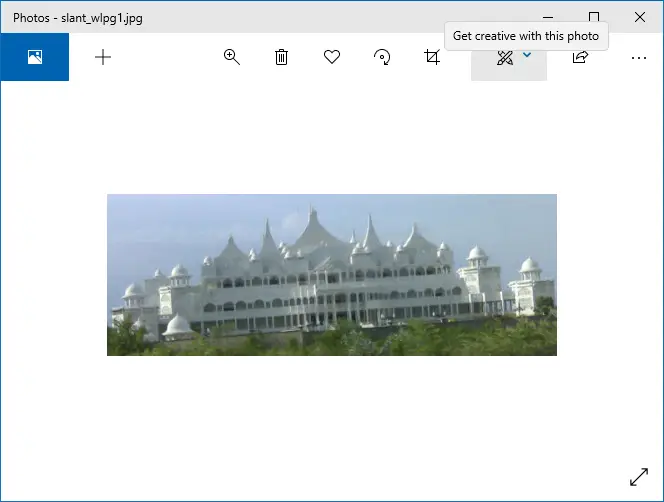
- In the Edit window, use the “Straightening” slider accordingly to rotate the image as desired.
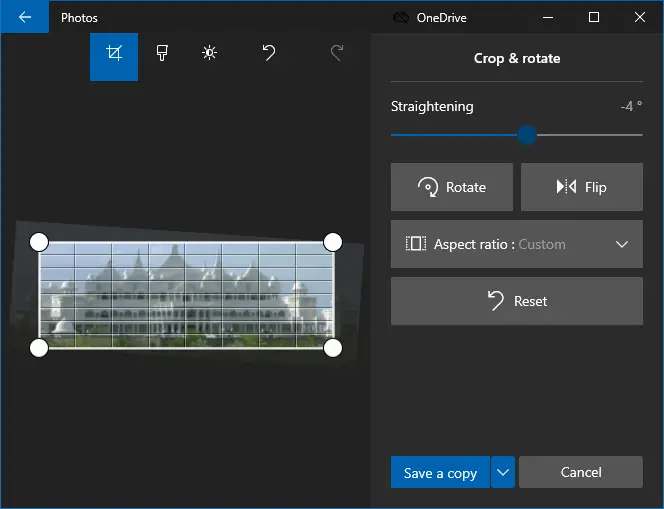
Photos app screenshot – Windows 10 v2004  When you move the straightening slider using the mouse, you’ll see the grid lines on the image for your guidance. You can match a horizontal or vertical edge on the image with the grid lines to ensure accurate straightness. Once you release the mouse button from the straightening slider, the grid lines disappear.
For granular control, you can click on the straightening slider and use the left or right arrow keys, instead of your mouse. However, the guiding gridlines won’t appear if you use the Up or Down buttons (instead of the mouse) to move the slider.
- Once done, save a copy of the image and quit the Photos app.
If you’re not fond of the manual rotate option, then try the Windows Live Photo Gallery program. It has a button that straightens an image in a single mouse click.
Using Windows Live Photo Gallery
Windows Live Photo Gallery is part of the Windows Live Essentials suite, which is now discontinued by Microsoft. You can download it from 3rd party sources, though.
I had a couple of slanted snaps (taken from a moving car) lying in my hard disk, which I just straightened using Windows Live Photo Gallery. Before starting, make a backup copy of the original images in a safe location.
- Open the photo using Windows Live Photo Gallery.

- If the editing options are not already available in the right pane, click the Fix button at the top. This button toggles the display of image editing controls.
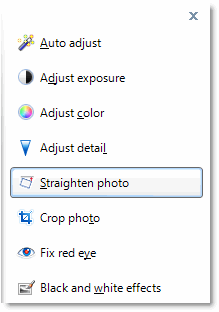
- Click Straighten photo, and then click Apply.

The changes are saved automatically when you close Windows Live Photo Gallery.
What’s your freeware image editing software for fine rotation or straightening crooked images? Let’s know your comments.
One small request: If you liked this post, please share this?
One "tiny" share from you would seriously help a lot with the growth of this blog. Some great suggestions:- Pin it!
- Share it to your favorite blog + Facebook, Reddit
- Tweet it!


I was looking for correction of a trapezoid (skew) deformity, which would involve manipulating (moving) the picture handles on the CORNERS individually (i.e., one at a time). Otherwise, your tutorial is pretty good. Thank you so much. I would sure appreciate your tutorial on correction of skew.