 We’d like to share with you an interesting registry hack that adds a Microsoft Security Essentials AutoPlay handler so that you can thoroughly scan a CD/DVD media or USB flash drive for viruses, via the AutoPlay dialog. See article Scan Your Thumb Drive for Viruses from the AutoPlay Dialog at the How-To Geek website.
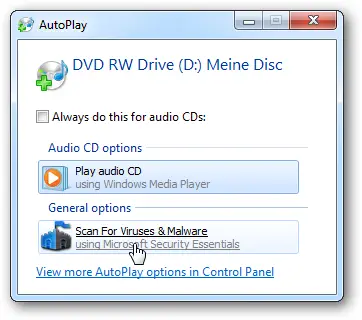
Thanks to Lowell & Brian for publishing my tip/script idea at How-To Geek. Also, this was later featured at Lifehacker.
One small request: If you liked this post, please share this?
One "tiny" share from you would seriously help a lot with the growth of this blog. Some great suggestions:- Pin it!
- Share it to your favorite blog + Facebook, Reddit
- Tweet it!

