Batch files (.BAT) and Windows NT Command Script (.CMD) files run in console window when double-clicked. This means that the Command Prompt window will be visible until the .BAT or .CMD file execution is complete.
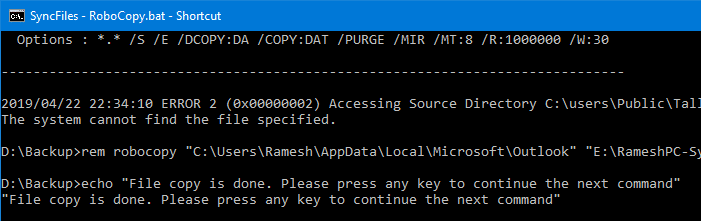
To make .BAT or .CMD file execution less intrusive, you can configure it to run minimized. Or if the .BAT or .CMD file does not require user input during run time, you can launch it in invisible mode using a Script.
The built-in Task Scheduler in Windows is capable of launching programs in hidden mode. If you don’t want to proceed via the Task Scheduler route, check out the options discussed in this article.

Running .BAT or .CMD files in minimized mode
To run a batch file in a minimized window state, follow these steps:
- Create a shortcut to the .BAT or .CMD file. To do so, right click on the file, click Send To, Desktop (create shortcut)
- Right click on the shortcut and choose Properties
- In the Run: drop down, choose Minimized
- Click OK
- Double-click the shortcut to run the batch file in a minimized window state.
Running .BAT or .CMD files hidden (invisible mode) Using Script
Windows Script Host’s Run Method allows you run a program or script in invisible mode. Here is a sample Windows script code that launches a batch file named syncfiles.bat invisibly.
Reference: Run Method. Setting intWindowStyle parameter to 0 hides the window.
Let’s say we have a file named syncfiles.bat in C:\Batch Files directory. Let’s launch it in hidden mode using Windows Scripting.
- Copy the following lines to Notepad.
Set WshShell = CreateObject("WScript.Shell")
WshShell.Run chr(34) & "C:\Batch Files\syncfiles.bat" & Chr(34), 0
Set WshShell = Nothing
Note: Replace the batch file name/path accordingly in the script according to your requirement.
- Save the file with .VBS extension, say
launch_bat.vbs - Edit the .BAT file name and path accordingly, and save the file.
- Double-click to run the launch_bat.vbs file, which in-turn launches the batch file
syncfiles.batinvisibly.
RELATED: How to Automatically Elevate a Batch file to Run it as Administrator? -and- VBScripts and UAC elevation (Run as administrator)
Running .BAT or .CMD files hidden (invisible mode) Using NirCmd
NirCmd is a multipurpose command-line automation utility from the third-party vendor Nirsoft. We’ve covered NirCmd many times in the past on our site.
We can use NirCmd to run a program, script or batch file in hidden mode.
Download NirCmd and extract the file to your Windows directory.
From the Run dialog or Command Prompt, use the following syntax to launch a batch file or program in hidden mode:
nircmd exec hide [path to batch file]
Example:
nircmd exec hide "c:\batch files\syncfiles.bat"
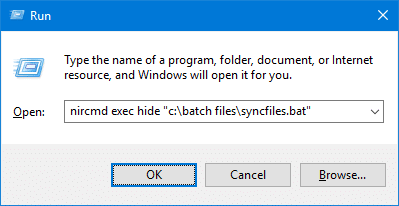
If you need to run the batch file elevated (as administrator), use the following command instead:
nircmd elevatecmd exec hide c:\batch files\syncfiles.bat
(NirCmd Command Reference – exec)
That’s it! If you know any other method to run a batch or CMD file in hidden mode, let us know.
One small request: If you liked this post, please share this?
One "tiny" share from you would seriously help a lot with the growth of this blog. Some great suggestions:- Pin it!
- Share it to your favorite blog + Facebook, Reddit
- Tweet it!

Wow! So this is what batch files are all about. This will really come in handy. I’ve already setup a MongoDB batch file to run invisibly and it is a delightful experience.
wow, so simple
thankful to you
this method works.. thanks Farrukh..
Very nice!!!
So, how do I find and stop it if needed?
Tah muchly. I did the invisible script thing and it worked fine.
The only thing was when run via scheduled task the wshell complained that it could not find c:\windows\system32\ …where vbs script is the vbs script we just created.
I had to place the vbs script in the c:\windows\system32 folder. Works fine
Is there a way to STOP the batch file from running?
Testing posting a comment
how do i close it once it is started on invisible?
how do i run invisible bat-file via task scheduler? vbs file is not working with scheduler.
I like the .vbs hack .
Here is an example of how to run any script or executable, not only hidden, but also as Admin:
Set UAC = CreateObject ("Shell.Application")
UAC.ShellExecute "cmd", "/c ""PathToScriptOrExecutable""", "", "RunAs", 0
Set WshShell = Nothing