Many folks use Process Explorer from Windows Sysinternals to gather information about running processes and their open handles. In addition, there is an excellent but less familiar utility in-built with Windows 7 and higher (including Windows 10/11).
The built-in utility is Resource Monitor, which provides complete details of running processes, their associated handles, and associated modules (for example, DLL files).
Use Resource Monitor to Find Which Process Has Locked a File
- To launch Resource Monitor, press Win + R, type
resmon.exe, and click OK. - Select the CPU tab.
- Expand Associated Handles by clicking on its title bar.
- Type a file name or part of the file name in the text box provided. This should list the processes currently accessing the file.
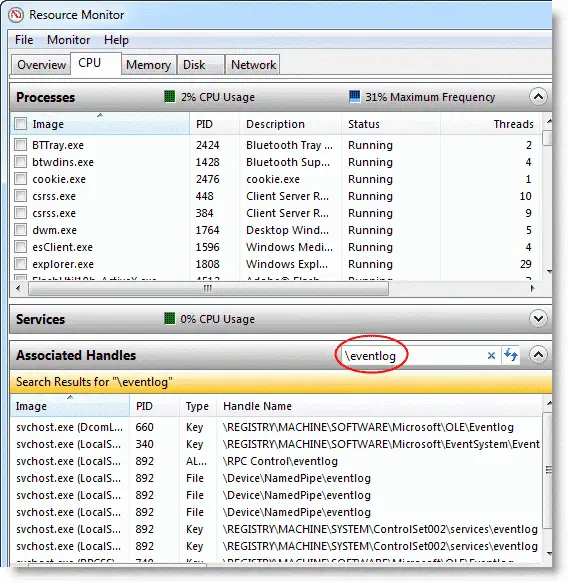
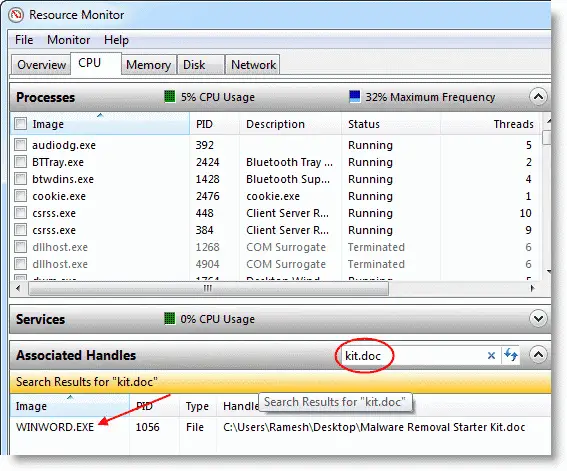 Bonus Tip! You can also type a registry key in the search field, which would cause Resource Monitor to show the registry handles with the corresponding process names.
View Associated Modules for a Process
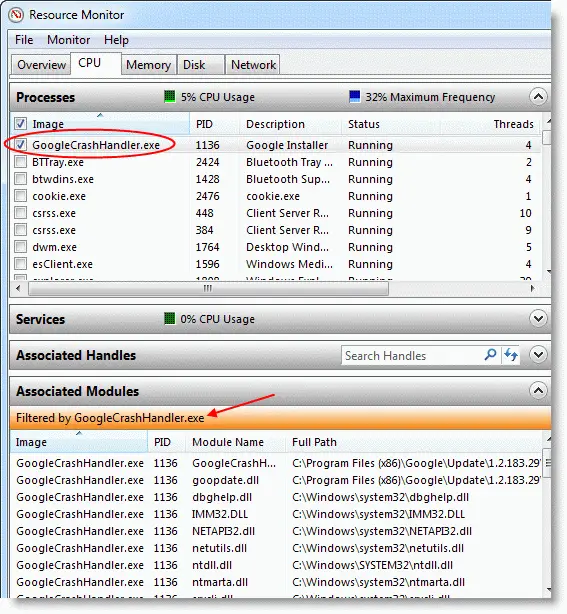
There is another option wherein you can view the list of modules in use by a given process. First, select one or more processes in the Processes section, and then expand the Associated Modules section to view the list of modules used by the selected processes.
Resource Monitor proves to be a valuable tool to investigate processes and locked files. It can come in handy, especially when you forget to bring your troubleshooting toolkit along when fixing a friend’s PC. “Associated Handles” and “Associated Modules” are excellent feature additions in Windows 7 and higher. You can also use Process Explorer to find this info. Check out the article Know which process has locked a file.
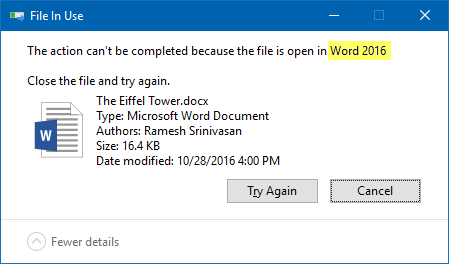
Incidentally, you may have also noticed that the “File in Use” dialog (in Windows 7 and higher) displays the Process Name as well.
Want to find which program is eating away your internet bandwidth? Resource Monitor can tell that too.
One small request: If you liked this post, please share this?
One "tiny" share from you would seriously help a lot with the growth of this blog. Some great suggestions:- Pin it!
- Share it to your favorite blog + Facebook, Reddit
- Tweet it!


Wow, I didn’t realize resmon could do that!
Also available in Windows Server 2008 R2, excellent!