Setting up an automatic login in Windows also comes with a great responsibility to safeguard the user account from unauthorized use. After configuring automatic login to your user account, you may also want to set it to lock the workstation immediately at login.
Contents
Auto-login to Windows and auto-lock the computer
Setting up Automatic Login to Your Account
To automatically login to your account at startup, follow these steps:
- Press WinKey + R, and type the following, and press Enter:
control userpasswords2
- Uncheck “Users must enter a user name and password to use this computer.”
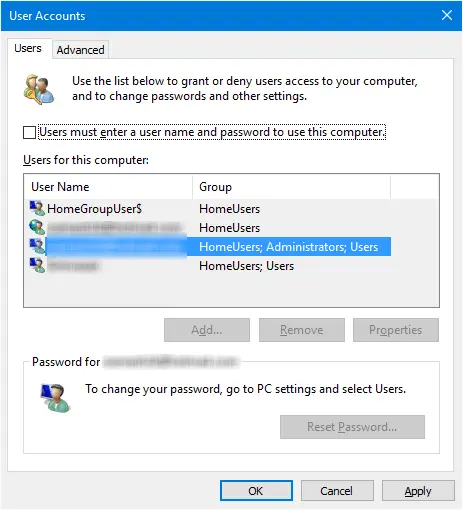
- Click OK.
- When prompted, type in your user name and password and click OK.
The system is now set to log in to your user account automatically. The auto-login credentials such as the username, password, and the computer (domain) name are securely stored in the registry.
The above steps work in all Windows client Operating Systems, including Windows 11.
Automatically lock workstation at log on
You may now create a Scheduled Task to lock the workstation immediately when you log in.
- Start Task Scheduler, and click “Create Basic Task…” in the Actions pane.
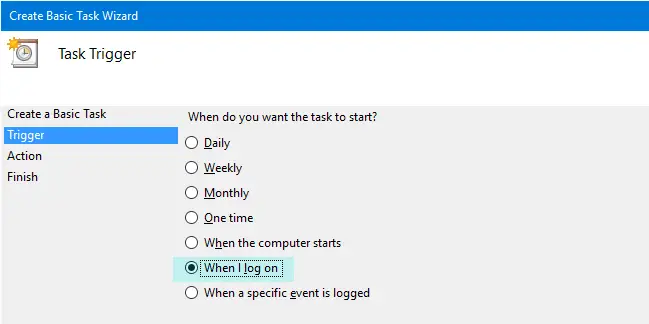
- Select “When I log on” in the Task Trigger dialog, and click Next.
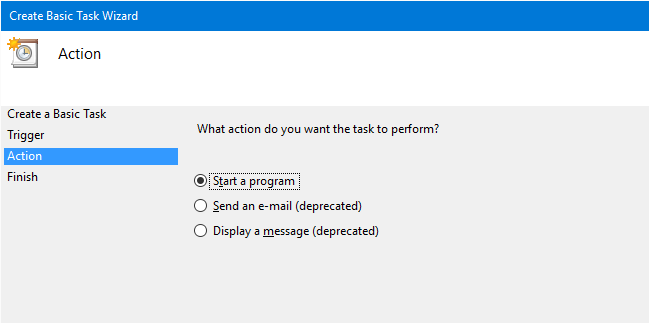
- In the Action dialog, click “Start a program” and click Next
- In the next dialog, type the Program name as:
C:\Windows\System32\rundll32.exe - In the “Add arguments” text box, type
user32.dll, LockWorkStation
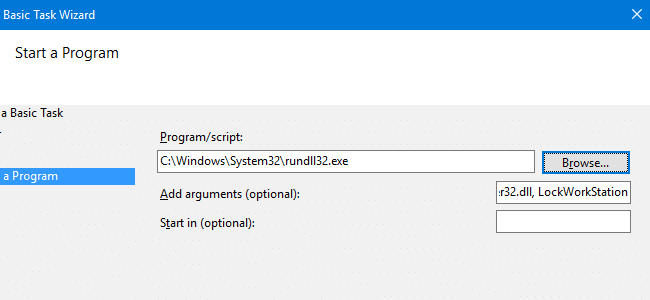
So the command-line that would be executed is:rundll32 user32.dll, LockWorkStation
The parameter is case-sensitive; Make sure you type exactly as given. Follow the on-screen instructions and finish the procedure.
You’ve now created a task that locks the workstation immediately after login.
The task does not work?
In case the above task doesn’t work, it may be possible that it’s being triggered too early. In that case, you may set a time delay (e.g., 5 or 10 seconds) before the task is executed.
- Double-click the task to open its Properties
- Click on the Triggers tab.
- Click on the Edit… button.
- Enable the Delay task for: checkbox and set it to 5 or 10 seconds.
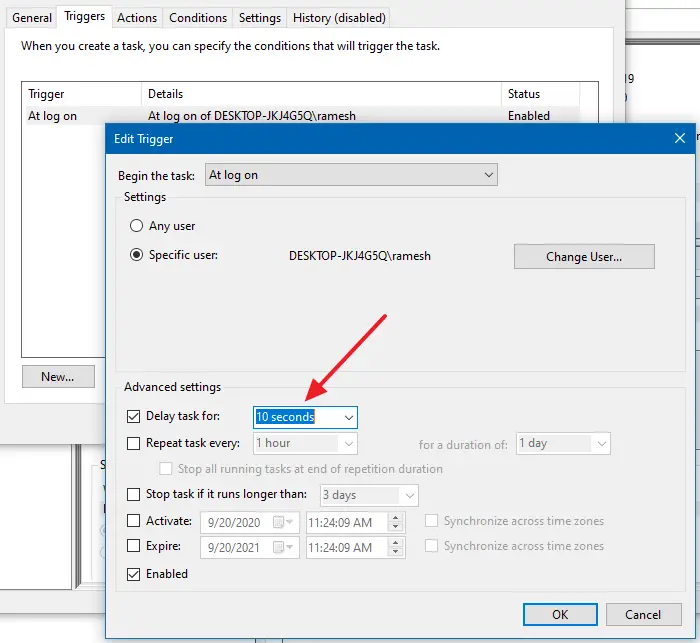
- Click Ok, Ok to complete the process.
Startup folder
The same command can be run from the Startup folder using a shortcut, but items in the Startup folder are executed very late, which means your desktop would be exposed until the “lock workstation” shortcut kicks in. When you run it using Task Scheduler, the task is executed immediately after you type in your credentials and login is validated.
There are chances that the task fails to run at logon, especially if the Scheduler service doesn’t start or if the task is triggered too early. As a fallback, you may create a shortcut to the rundll32.exe user32.dll, LockWorkStation command-line above and place it in your Startup folder.
The Startup folder of your profile can be accessed by running the following shell: command from the Run dialog:
shell:startup
Or by accessing the following folder directly.
C:\Users\%username%\AppData\Roaming\Microsoft\Windows\Start Menu\Programs\Startup
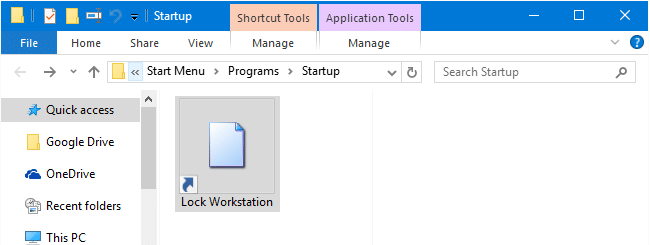
Alternatively, creating a shortcut to tsdiscon.exe (for Pro editions and higher) would work, too.
Why auto-lock the computer?
The very reason for setting up automatic login is to avoid typing your credentials or your PIN if you’ve set up one. So, what’s the point of locking the workstation after logging in to your user account?
There are situations where it may be necessary. Many folks would want to this. Turn on the computer and come back again after a couple of minutes or so. In the meantime, the system would do the following automatically:
- Log in to your account (Winlogon initialization phase) using stored credentials.
- Lock the workstation.
- Run all the startup tasks & programs (Explorer initialization phase.)
- Run the delayed start services (post-boot phase), and get things initialized for you.
When you come back, the disk I/O and CPU usage will be normal. All you need to do is type in your PIN or password and start using the system.
Here is another case where this is needed:
Our IT department has begun pushing out periodic Automated Updates overnight which subsequently reboot my workstation. The negative result of this process is my scheduled tasks, which require my network credentials, fail because I am no longer logged into the network when the task is scheduled to run. I leave my workstation logged in and locked (for security) when unattended.
The above method(s) won’t provide you foolproof security, but it’s a far better option than leaving your system unlocked when it’s unattended. If you’re extremely concerned about security, you won’t be using automatic logon in the first place.
One small request: If you liked this post, please share this?
One "tiny" share from you would seriously help a lot with the growth of this blog. Some great suggestions:- Pin it!
- Share it to your favorite blog + Facebook, Reddit
- Tweet it!


When the computer boots from off state the lock screen appears but does not ask for password. You can just get in by clicking the lock screen. Yet when I run the Scheduled task or command line manually, the lock screen asks for a password like you would expect it to.
Is there a solution to this problem?
@Val: This is strange. Does the user account have a password?
I have the same problem like Val. I use option with autologon
Problem in my case was that command: rundll32 user32.dll, LockWorkStation was running too earely . /Windows remembered credensials form autologon I don’t know how/.
When i delayed in task scheduer about 20s.
Everthing is ok
Ultimately worked for me using the Startup option. Disappointed that the first option didn’t work because I don’t like the box sitting there for 20-30 seconds until that Startup item fires. Checked services and didn’t see “Scheduler” but “Task Scheduler” is there and automatic startup… even after delaying task by 20s as recommended by arni, it still wouldn’t work for me. If you come across a further fix to make it work via scheduled task, I’d be interested to know.
Thanks to OP and to arni for the help!
Same for me, doesn’t lock by itself…
Hi Val,
I had the same problem. The way i fixed it was instead of calling the locking command directly, create a batch file that contains the command, and then call the batch file:
Step 1:
Go to the folder in which you want to put the batch file. Let’s assume you will place it in your documents folder.
Step 2:
Create and save the batch file, as can be seen here. Name it “lockonstartup.bat”
Step 3:
Paste in the following command and then save the batch file (copied command from this post):
rundll32 user32.dll, LockWorkStation
Note: You can verify that your batch file works, by double clicking the file. If it locks the screen, then you have done it correctly.
Step 4:
Make the task scheduler execute your batch file, by simply providing the path to the file in the program/script field and leaving the arguments field empty.
For example: C:\Users\YOUR_USER_NAME\Documents\lockonstartup.bat
Kolya, thank you for your response. Your suggestion solved the problem with my pc not requiring a password even though it was locking after autologin.
I have a another solution, make a batch file containing this line
Rundll32.exe user32.dll,LockWorkStation
then make a registry key here that points to the batch
HKEY_LOCAL_MACHINE\SOFTWARE\Microsoft\Windows\CurrentVersion\Run
done