Setting up an automatic login in Windows also comes with a great responsibility to safeguard the user account from unauthorized use. After configuring automatic login to your user account, you may also want to set it to lock the workstation immediately at login.Read more
Month: April 2008
How to Print Your Windows Update History By Exporting to Text or HTML File?
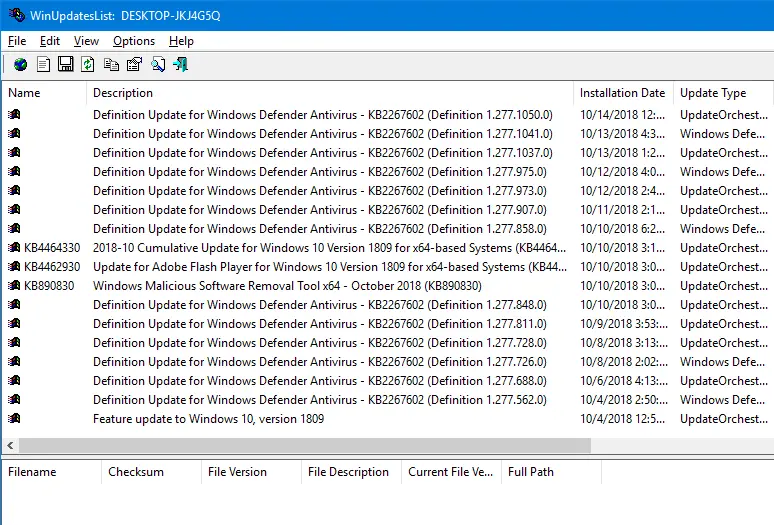
Every time you install an update or system installs it automatically, the Windows Update history is updated with the KB number. You can check the Windows Update history, but the GUI provides no option to print the list of updates installed from the Windows Update history screen. Here a couple of tools from Nirsoft site that can help you print the Windows Update history.Read more
Show Hidden Files and Folders Missing or Does Not Work
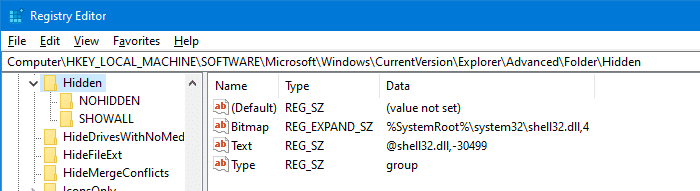
The Folder Options dialog’s View tab allows you to show or hide hidden and system (protected) files in Explorer. The hidden files have the HIDDEN attribute. Protected files (aka, “super-hidden ” files) have the SYSTEM attribute.
There have been many support incidents lately where the File Explorer does not show hidden files and folders even though you enable the Show hidden files, folders and drives option in the Folder Options dialog. However, the files and folders can be viewed when using Windows Search or using the DIR /A command from a Command Prompt window.
Also, when you go to open the Folder Options and click the View tab, both the radio buttons Do not show hidden files and folders and Show hidden files, folders and drives may be enabled.

How to Rebuild Icon Cache in Windows 10 or 11
We may face the icon cache corruption issue sometimes in Windows 10/11 and earlier OS. The icon cache corruption causes the wrong icons to show up for certain programs or in certain areas of the Windows shell, or no icons at all. For example, your pinned taskbar shortcuts may show up with the wrong icon.Read more
Clear Recent Files history Using Script in Windows 10
Did you notice that in Windows it takes exactly half a dozen mouse clicks to clear the recent items history? This post has a VBScript to clear the recent documents history in a single click in Windows 10 and earlier. Clear Recent Files history in Windows In Windows 10, here is the procedure to clear … Read more
List Running Processes And Their Creation Times
The Windows Task Manager does not list the creation time and date of running processes. To get this info, you may use one of these methods.Read more
Change the Default Editor for Batch files in Windows
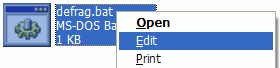
When you right-click on a Windows batch file (.bat) file and click Edit, Notepad opens the file by default. If you have a Notepad replacement software installed in your system, you can set it as the default editor for Windows batch files.
Reset the Always ask before opening this type of file setting
When downloading files using Internet Explorer, you may see the Open/Save confirmation box (as shown below) for certain file types. If you uncheck the Always ask before opening this type of file check box, the preference is saved in the user part of the registry. Also, the configuration is stored in a separate registry value for each file type.
Here is how to reset the Open/Save choice for a specific file type or all file types in Internet Explorer.Read more
Desktop Icons Covered with White Boxes or Black Squares
Here is a mysterious case of the icon overlap problem, which the screenshot below explains perfectly. You can see the original icon for shortcuts is overlapped by a generic white overlay (shown for unknown file types). An incorrect icon overlay setting is causing the problem.Read more