OpenWithAdd 1.2 – Supports Windows Vista

openwithadd supports windows vista - screenshots

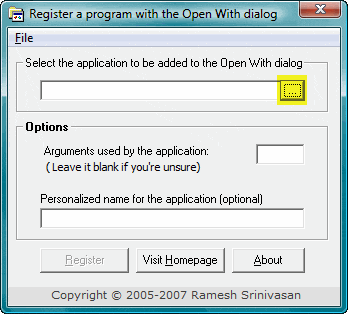
When you right-click a file and choose Open With, and click the Choose Program… option, the list of registered applications are displayed in the Open With dialog. Programs that are not already listed in the Open With dialog can be added manually using the Browse… option.

OpenWithAdd tool which I wrote, can be helpful in circumstances where, when you browse to locate an application, it does not get added to the Open With dialog. It can now (v1.2 onwards) run under Windows Vista as well. Here are some screenshots:Read more

How to Launch a Vbscript in Elevated Mode (Run as Administrator)

With the introduction of User Account Control (UAC) in Windows Vista, you usually open an elevated Command Prompt in order to run batch files and scripts that need administrative privileges. Applications can make use of manifest files (using the RequireAdministrator flag) to automatically run elevated.

For scripts, this article provides you some neat little tricks using which you can automatically elevate using the ShellExecute “runas” parameter.

(See also How to Automatically Elevate a Batch file to Run it as Administrator? for another auto-elevation method.)Read more